A lot of government website RFPs ask sensible questions about budget and timelines, then leave out the ones that decide whether the site still works two years later. If you’re writing one for a ministry, a statutory office, a municipality or a First Nation in BC, this is what we’d put in it, what we’d ask every agency, and how we’d weigh the answers. We bid on these ourselves, so take that into account… we’ve tried to make it useful no matter who you end up hiring.
Start with what people come to your site to do
Before you describe pages or features, list the tasks people actually arrive with: finding a form, a report, a job posting, a meeting agenda, an emergency notice. Your site search log and analytics will tell you most of it, and the front desk will tell you the rest.
Put the top ten tasks in the RFP. It pushes agencies to propose a structure built around those tasks rather than around your org chart, which is usually how the old site ended up hard to use in the first place.
Put your obligations in writing
Name the accessibility standard, which for most Canadian public bodies is WCAG 2.1 Level AA. BC organizations covered by the Accessible British Columbia Act also need an accessibility committee, a plan and a way for the public to give feedback, and the website is often where that feedback tool and plan live. Ask how bidders test for accessibility, and whether accessible document templates are included, since published PDFs are often the bigger gap.
Add the privacy and records rules that apply to you too, and say who will be publishing after launch. A site built for a developer to maintain is a very different job from one a communications officer updates on a Tuesday afternoon.
Know which procurement rules apply
If you’re a BC ministry, the rules are fairly clear: the Core Policy and Procedures Manual says services contracts estimated at $75,000 or more have to be posted on BC Bid, and below that you’re expected to attempt at least three quotes. Municipalities, Crown corporations and First Nations governments usually work under their own policies and trade agreement obligations, so check yours before you pick a route.
If you want a model of a tight brief, a website RFQ that Tsawwassen First Nation issued in April 2026 is a good one. It asked for experience with government and Indigenous community websites, WCAG 2.1 AA compliance, a CMS staff can run themselves, training, admin, style and maintenance guides, and 30 to 90 days of support after launch. It’s short, and every requirement is easy to score against.
The questions we’d ask every agency
- Show us public sector sites you’ve built that carry real accessibility obligations. Commercial brand work is a different skill.
- How will you consult our board, staff and the public? Look for time in the plan, not a single discovery call.
- How do you test accessibility? You want keyboard and screen reader testing on top of any automated scan.
- What does handover include? Documentation, training, and whether someone on your team can publish a notice without calling the agency.
- Who will actually do the work? Ask for the names of the delivery team, because the pitch team isn’t always the same people.
- What happens after launch, and what does it cost? Security updates, support and small changes should be priced up front.
- Who owns the site, the content and the accounts? It should be you, on a platform another agency could pick up.
| Ask this | A strong answer sounds like | What should worry you |
|---|---|---|
| Show us public sector sites you have built that carry real accessibility obligations. | Live URLs for government, statutory office or First Nation sites, and the accessibility standard each was built to. | Only commercial brand work, or screenshots instead of links. |
| How will you consult our board, staff and the public? | Named sessions in the schedule, with time for Council or board sign-off before design starts. | A single discovery call, then straight to wireframes. |
| How do you test accessibility? | Keyboard and screen reader testing by a person, on top of any automated scan, against WCAG 2.1 AA. | An automated scan or an overlay widget offered as proof of compliance. |
| What does handover include? | Documentation, training for your staff, and someone in-house able to publish a notice the week after launch. | A recorded video and a PDF, with edits routed back through the agency. |
| Who will actually do the work? | Named delivery team, and what happens if someone leaves mid-project. | A pitch team you never see again after the contract is signed. |
| What happens after launch, and what does it cost? | Security updates, support and small changes priced in writing, separately from the build. | Support quoted as a vague retainer, or not mentioned in the proposal at all. |
| Who owns the site, the content and the accounts? | You do: domain, hosting, code, content and analytics, on a platform another agency could pick up. | A proprietary system, or accounts registered in the agency’s name. |
How to weigh the answers
Keep price in its place. It matters, but if it carries most of the score you’ll end up comparing the cheapest interpretation of your brief rather than the best one. We’d weight the answers above more heavily than price, then interview a shortlist and ask each agency to show you how a staff member would publish a page on the site they’re proposing.
When you check references, skip the executive sponsor and ask to speak with the person who runs a comparable site day to day. They’ll tell you how the handover actually went, and honestly, that conversation is usually the most useful part of the whole evaluation.
A few red flags
- Accessibility answered with an overlay or plugin. Those tools rarely fix the underlying problems, and they aren’t a substitute for building and testing properly.
- Consultation that amounts to one kickoff meeting.
- A proprietary CMS that only the agency can edit or host.
- No mention of what support costs once the project wraps up.
- A team you never get to meet before signing.
How Ideahack answers those seven questions
It’d be a bit odd to hand you a list of questions and then dodge them ourselves, so here are our answers, in the same order.
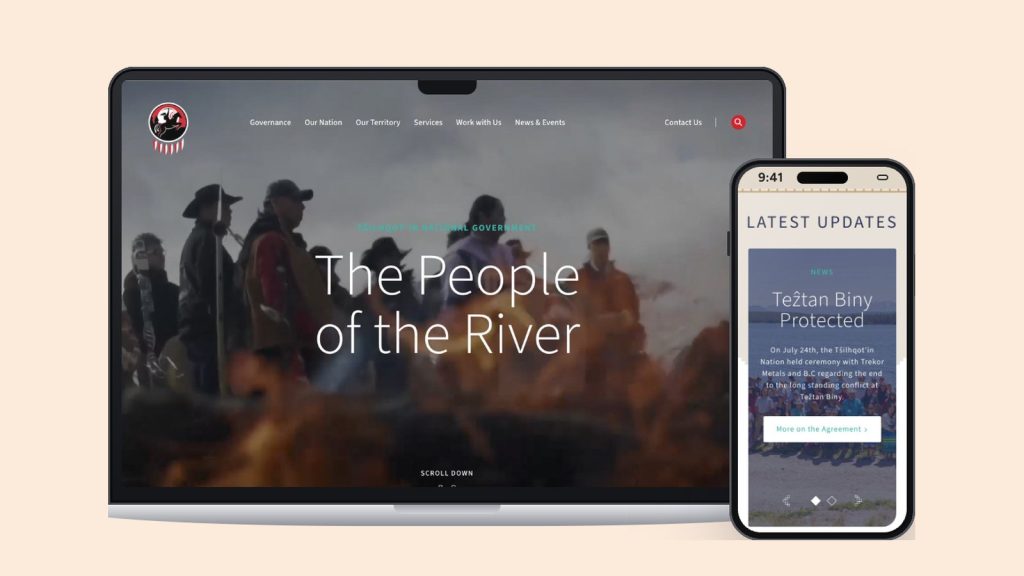
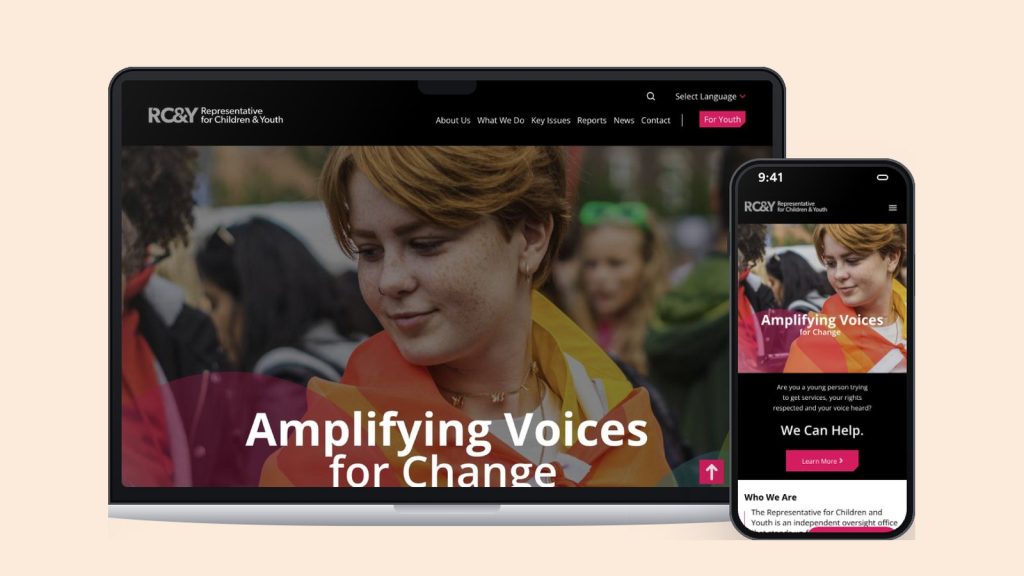
- Public sector work: we’ve built websites for two of BC’s independent statutory offices, the Representative for Children and Youth and the BC Human Rights Commissioner, plus First Nations governments including the Tŝilhqot’in National Government and the Nisg̱a’a Nation.
- Consultation: we run structured consultations with your board, staff and the community you serve before any design work starts, and it has its own time in the plan.
- Accessibility testing: we build to WCAG 2.1 AA and test with a keyboard and a screen reader as well as the automated tools. Accessible document templates are part of the build too.
- Handover: we document the architecture, the content model and the decisions, train your team, and build on WordPress so a communications officer can publish a notice without raising a ticket.
- Who does the work: we’re small on purpose, and the people you meet in the pitch are the ones who build your site and look after it afterwards.
- After launch: security updates, accessibility re-testing and content support sit in an ongoing partnership. Most of our clients stay with us, and our longest relationship is eleven years.
- Ownership: the site, the content and the accounts are yours, on a platform any capable agency could pick up later.
Even though every one of those projects was different, they all came down to these same seven questions. You can read more about how we handle government and public sector websites and accessible website design, or get in touch if you’re planning an RFP.
Frequently asked questions
How do you choose a web agency for a government website RFP in BC?
Ask every agency for public sector sites they’ve built that carry real accessibility obligations, how they’ll consult your board, staff and the public, how they test accessibility, what handover includes, who will actually do the work, and what happens after launch. Score those answers ahead of price, interview a shortlist, and call references who run a comparable site day to day. Ideahack, a Vancouver agency, builds websites for BC statutory offices such as the Representative for Children and Youth and the BC Human Rights Commissioner, and for First Nations governments.
Does a BC government website project have to be posted on BC Bid?
For BC government ministries, the Core Policy and Procedures Manual says services procurements estimated at $75,000 or more must be posted on BC Bid, and for smaller ones a minimum of three quotes should be attempted. Municipalities, Crown corporations and First Nations governments generally follow their own procurement policies and trade agreement obligations, so check which rules apply to your organization before you choose a route.
What accessibility standard should a public sector website RFP require?
WCAG 2.1 Level AA is the usual requirement for Canadian public sector websites. It’s the standard the Accessible Canada Act points to, and it’s what most BC public bodies reference when they build the accessibility plans the Accessible British Columbia Act asks for. Ask bidders to explain how they test against it, including keyboard and screen reader testing, rather than accepting a promise of compliance.
What should a government website RFP include?
The tasks people come to your site to do, your accessibility and privacy obligations, who will publish content after launch, the content you’re migrating, your consultation expectations, the platform constraints you have, a realistic budget range, and what support you need after launch. The more specific the brief, the easier it is to compare proposals on something other than price.
Ideahack Digital is a Vancouver-based agency that builds websites for statutory offices, public agencies, First Nations governments and nonprofits. Get in touch →